The care-workflow platform, with AI built into every step
CareNivoa runs the work around care: booking, visits, documentation, follow-up and messaging. Each organisation configures its own groups, roles, terms, workflows and policies, whether it is a clinic, a student wellness center or a coaching program. The AI works inside that workflow, not as a standalone chatbot, and privacy and compliance controls are built in.

Online booking
Patients book open slots themselves, or ask an AI scheduling assistant that works from the clinic's real availability.
See the platformOne platform, configured for the way you care
Each setting gets its own terms, roles, workflows and privacy controls. Open a use case to see the workflow, step by step, in the real product.
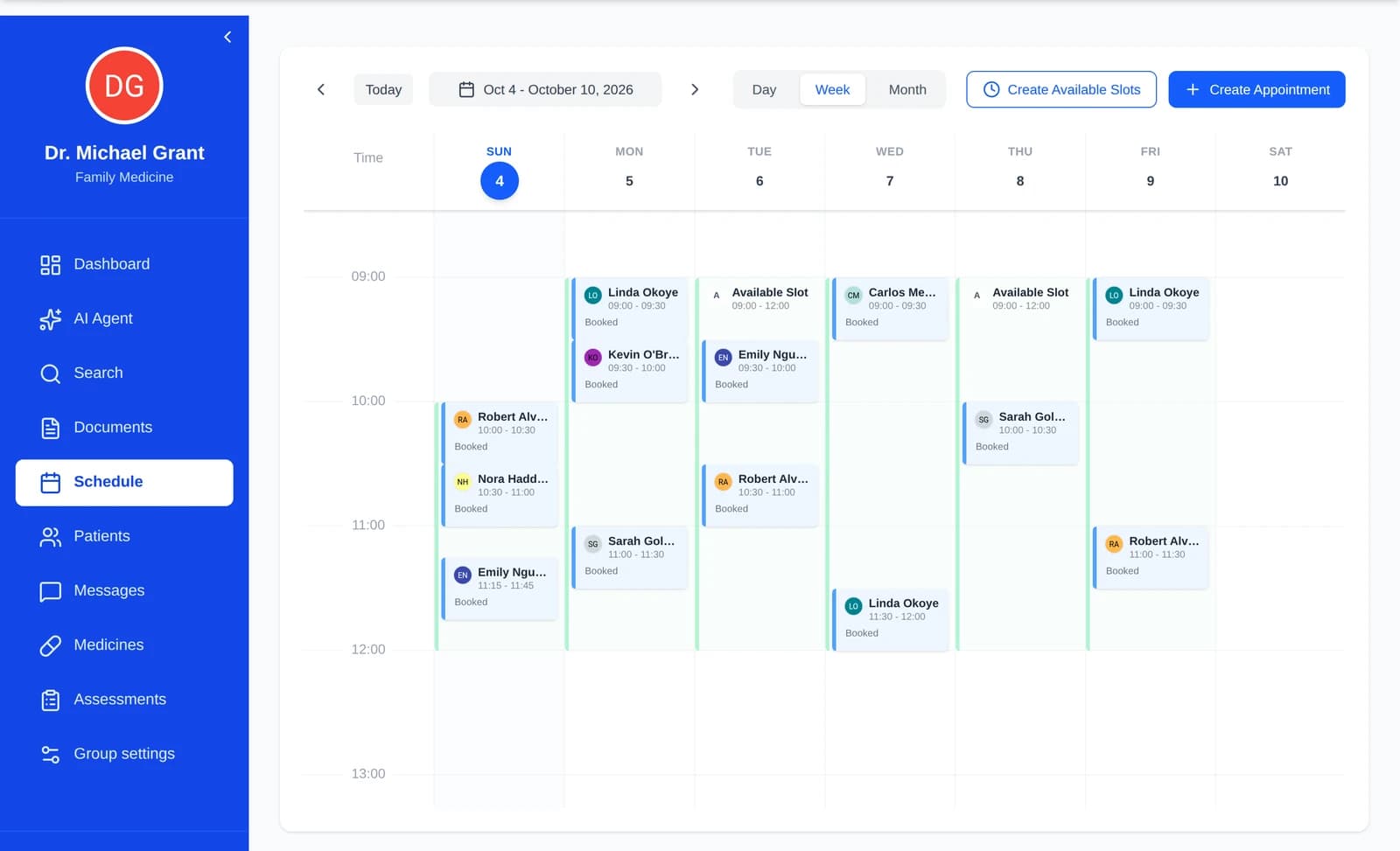 Clinics and medical practicesDoctors and patientsBooking, visits, AI-drafted summaries, care plans and messages, with the clinician deciding.AI scheduling assistant on real availabilityRecording with consent, AI summary for reviewCare plans, reports and AI proxiesSee the workflow
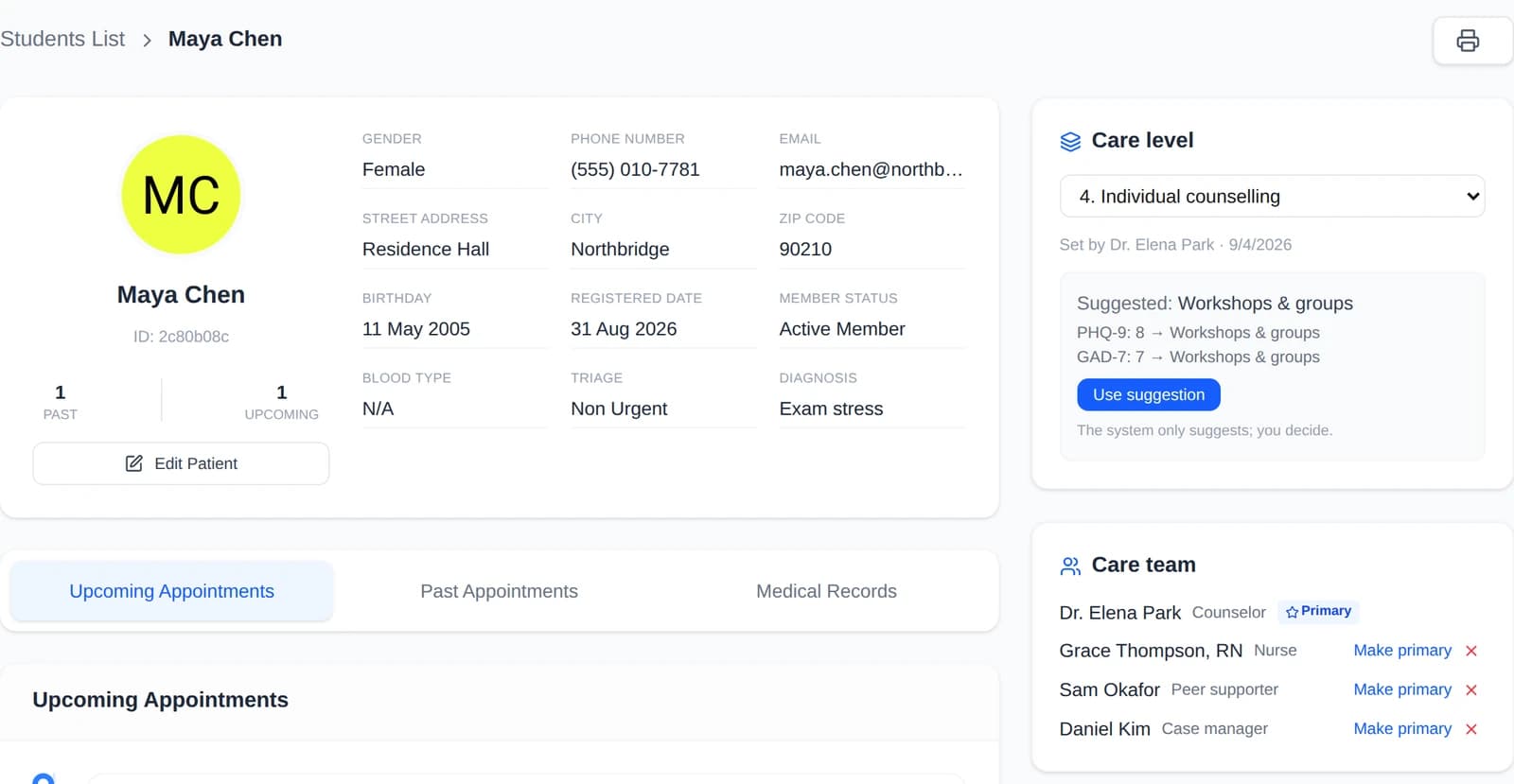 Counseling and health centers in collegesStudent wellness centersScreening, stepped care and care teams, with AI proxies that students control and a crisis safety net.PHQ-9, GAD-7, C-SSRS and stepped careCare teams with role-based accessAI proxies and a crisis safety netSee the workflow
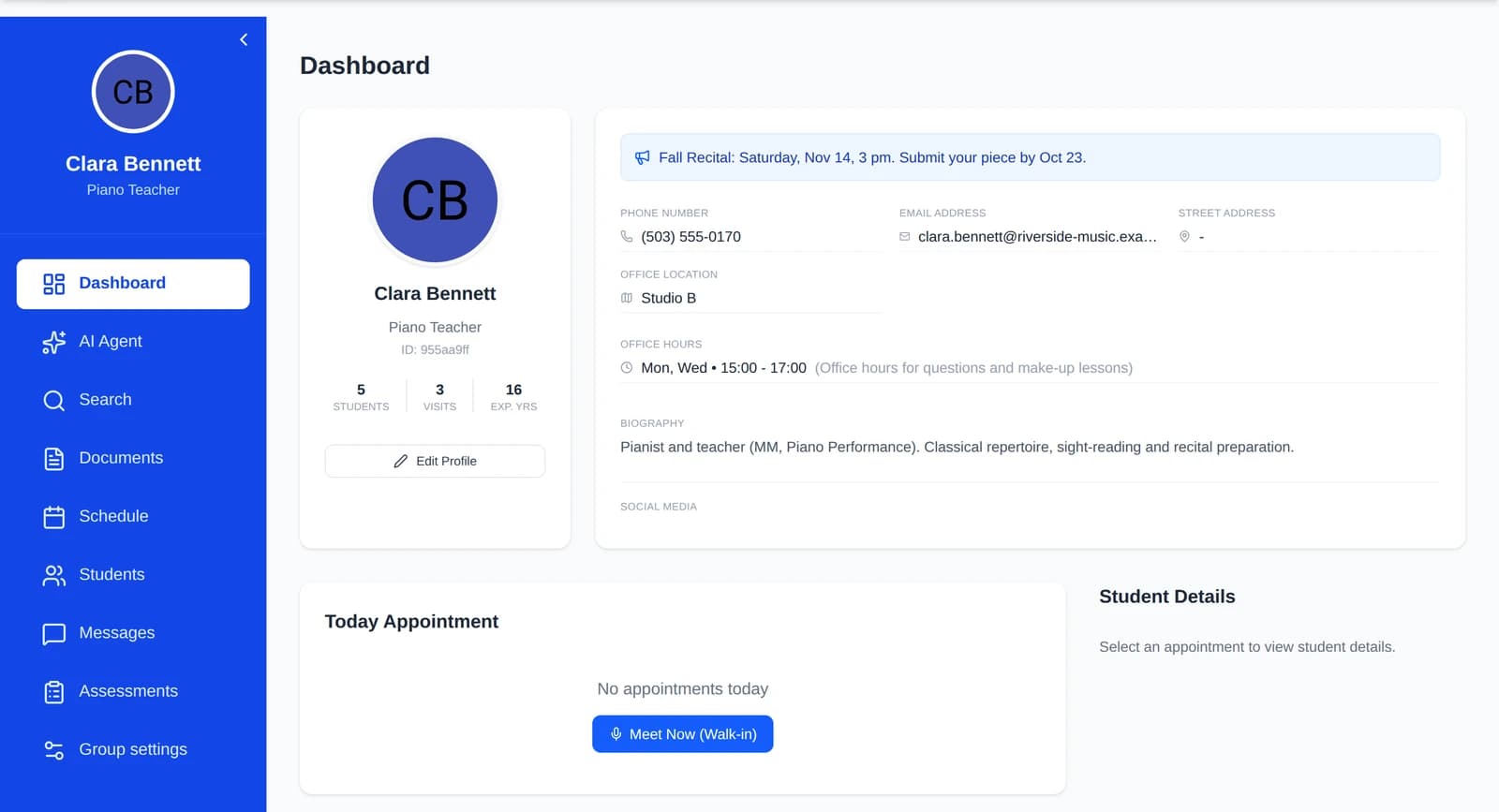 Music, sports, tutoring and course programsTeachers, coaches and studentsPractice check-ins, office hours, an AI proxy for course FAQs and progress reports.Daily practice logs and reflectionsOffice hours students book themselvesProgress reports with chartsSee the workflow
One platform, configured for each organisation
Clients, care providers and administrators each sign in to a dashboard made for their role, in your organisation's own terms.
New in CareNivoa
Groups, roles and permissions
Each organisation is a group with its own roles, such as counselor, nurse, peer supporter or teacher, and each role has its own permissions. A peer supporter, for example, never sees clinical notes.
Stepped care
Care levels from self-help to intensive care. PHQ-9, GAD-7 and C-SSRS scores suggest a level and a provider decides; a positive C-SSRS screener is flagged as urgent.
Care teams
Several providers can share one client, for example a counselor, a nurse and a case manager, with one primary provider.
AI proxies in messages
A provider's proxy answers routine questions from material the provider approved and hands the rest to them with a draft. A student's proxy answers check-in questions only from what the student chose to share.
Recording consent
A visit is recorded only after every participant consents. Withdrawing consent stops the recording, and every change is logged.
What you need between visits, in one place.
Book appointments
Pick an open slot yourself, or ask the AI scheduling assistant, which works from the clinic's real open slots.
Message your care team
Send secure messages to your care team from your dashboard. Some routine questions are answered right away by your provider's AI proxy, always labelled as AI.
Your records and documents
See your records and documents in one place.
Daily care tasks
Complete what your clinician sets up: mood and symptom check-ins, journals, medication and exercise check-offs, and questionnaires, with streaks and history to show your progress.
You decide what is shared
Turn on your own AI proxy and it answers your provider's check-in questions only from the data you chose to share, and asks you when something is missing.
Listen or speak
Have text read aloud, and use your voice instead of typing.
Less clerical work, more time for patients.
Clients and records
Your list of patients or students, with notes, vitals and history; what you see depends on your role.
Calendar
All your appointments in one calendar, each with its current status.
Meet Now visits
Start a visit, record it once everyone consents, then review the summary the AI drafts for you.
Care plans
Set up recurring tasks that are created automatically, and produce a printable HTML summary report with charts in one click.
Questionnaires and assessments
Send them to patients; scores are calculated on the server.
Care teams and stepped care
Share a client with colleagues in a care team, and see the care level the screening scores suggest before you set it.
Messages and your AI proxy
Keep conversations inside the platform. Give your AI proxy instructions, approved answers and reference documents: it answers routine questions and hands off the rest as a question with a draft for you.
AI agent workspace
Hand off long, multi-step work such as document analysis, research and report writing.
Your organisation sets its own rules.
Groups, roles and permissions
Define the roles your staff hold and what each may do: clinical notes, care plans, assessments, care levels, Meet Now, messaging.
Your own terms
Call the people you serve patients, students or clients, and your staff doctors, care providers or teachers.
Stepped-care rules
Set the care levels and the score rules that suggest them, or turn stepped care off.
Message deletion
Choose whether deleting a conversation hides it for one person or deletes it for both sides.
Patient–doctor linking
Decide whether patients may unlink themselves from their doctor.
Document format and theme
Set the format and look of the documents your clinic produces.
How the workflow runs
From booking to follow-up, with a person reviewing what the AI drafts.
Book
The client picks an open slot, alone or with the AI scheduling assistant.
Visit
The provider starts a Meet Now visit. It is recorded only with every participant's consent, and transcribed on our own servers by default.
Review
The AI drafts a visit summary, and the provider reviews it.
Follow up
The care plan becomes recurring tasks for the client, and a one-click report shows how it is going.
Stay in touch
In messages, AI proxies answer routine questions and hand the rest to a person.
Hand off the long tasks. Review the result.
For clinicians, the AI agent works through multi-step jobs: it reads documents, searches the literature and the web, and writes up what it finds for you to check.
Document analysis
Upload PDFs and scanned pages. The agent reads them with OCR and works with what they say.
Literature and web research
Ask a question and the agent searches published literature and the web, then summarizes what it found.
Report writing
Reports come back as themed HTML documents with charts.
Long, multi-step work
Give it a goal rather than a single question; it plans the steps and works through them.
Skills
Focused skills, such as image tagging, for specific jobs.
You stay in charge
What the agent writes is a draft for a clinician to review.
How a task runs
One goal, many steps, one result
Describe the goal
For example: "Summarize these scanned lab reports."
The agent works step by step
It reads the files, searches and drafts as it goes.
You review the result
A themed HTML document with charts, ready for you to check.
PDFs and scans
Read with OCR
Literature and web
Research on request
Themed reports
HTML with charts
Skills
Such as image tagging
How we protect your information
Plain answers about who can see what, and how your information travels.
Encrypted connections
Your browser always connects to us over an encrypted (HTTPS) connection, and the network that delivers our site talks to our servers over an encrypted link that answers nobody else.
Encrypted in our database
Sensitive notes, messages, visit summaries and answers are encrypted in our database (field-level encryption).
Access by role
Patients see only their own records, clinicians see only their clinic's patients, and clinicians' private visit notes are never shown to patients.
No public file links
Files are sent only by our server after it checks who is asking; there are no public links to medical files.
Recordings stay with us
Recording and transcription run on our own servers by default; a third-party AI transcription service is used only if your clinic opts in.
Recording only with consent
Recording only with every participant's consent.
Account protection
Changing your password signs out every other session, a new email address takes effect only after you confirm a code, and login attempts are rate-limited.
Audit trail and backups
Changes to records are logged, and the database is backed up every day.
Your clinic's rules
Each clinic decides how message deletion works and whether patients can unlink from their doctor.
A clinician stays in the loop
The AI drafts summaries and helps with paperwork and research. A clinician reviews what it produces.
This list covers safeguards that are in place today. Questions about privacy? Contact us
About CareNivoa
CareNivoa is a care-workflow platform. Clinics, student wellness centers and coaching programs each set it up as their own group: the roles their staff hold and what each role may do, the words they use for the people they serve, their care levels and their policies. AI is built into the workflow: it books from real availability, drafts visit summaries for review, turns care plans into check-ins and answers routine messages through AI proxies that are always labelled as AI. People make the decisions.
Our aim: let AI carry the routine work of care and keep people at the center of every decision. The AI drafts and answers only what it is allowed to; people decide.
- One platform for clinics, wellness centers and coaching
- AI inside the workflow, always labelled
- Roles and permissions set by each organisation
- Privacy controls built in
Get in Touch
Questions about CareNivoa, a demo for your organisation, or privacy? We're happy to help.
Headquarters
One Washington Sq, San Jose, CA 95192
Phone
+1 (555) 123-4567Email
[email protected]Website
www.carenivoa.com
Send us a message
Our Location
One Washington Square, San Jose, CA 95192